










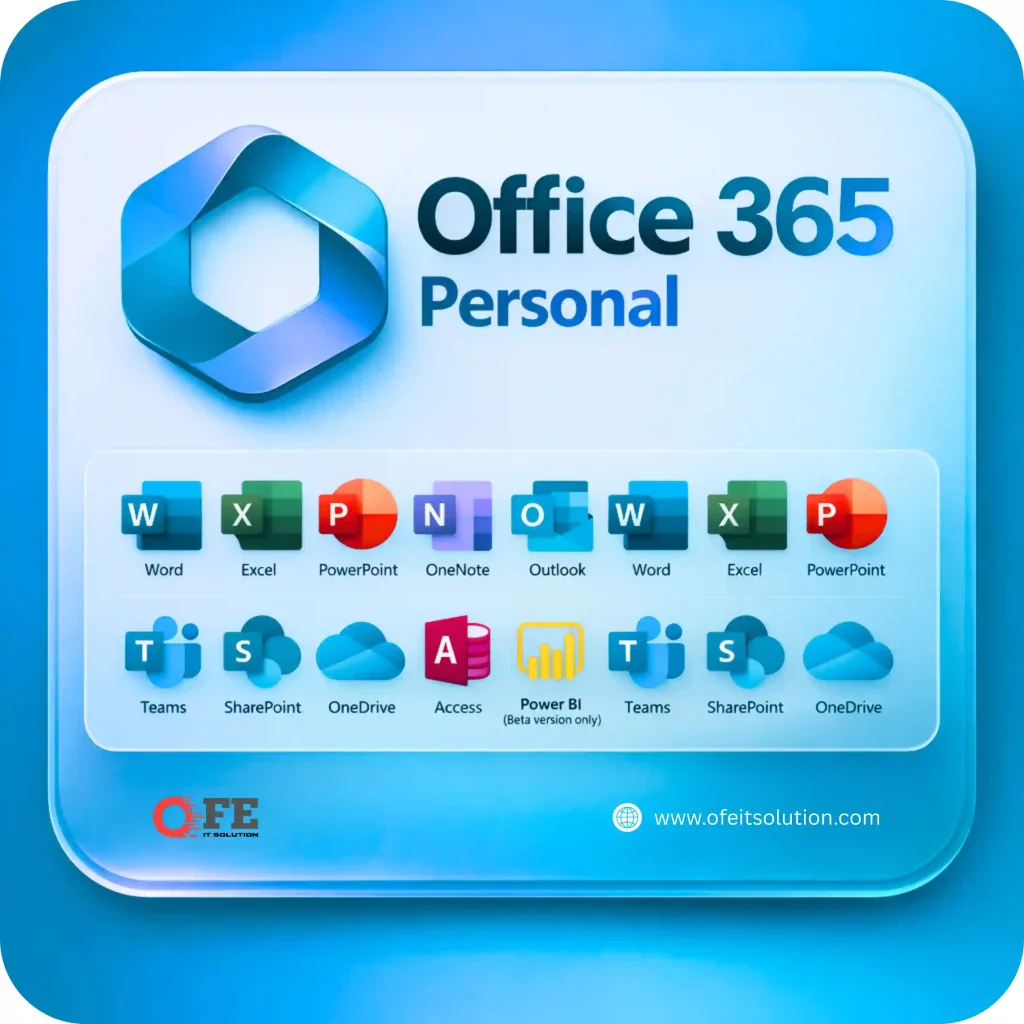
Microsoft Office 365 Subscription
799.00৳ – 1,790.00৳ Price range: 799.00৳ through 1,790.00৳
d enjoy premium access to Microsoft’s essential productivity tools. Get an official Microsoft 365 subscription activated on your own Microsoft account for seamless work, study, and collaboration across all your devices.
✔ Official Microsoft Office 365 Subscription
✔ Activated on Your Personal Microsoft Account
✔ Premium Word, Excel, PowerPoint & Outlook
✔ OneDrive Cloud Storage Included
✔ Microsoft Teams & OneNote Access
✔ Works on Windows, Mac, Android & iOS
✔ Automatic Updates & Latest Features
✔ Multi-Device Support
✔ Fast Activation & Reliable Support
✔ Secure & Trusted Service
Activation: Simply provide your Microsoft account email after placing your order. Your Microsoft Office 365 subscription will be activated quickly with secure and trusted service from OFE IT Solution


- 🛒 Check before purchase
- Please Review The Subscription Details, Terms & Conditions, Refund & Refund Policy Before Placing An Order.
Delivery through WhatsApp
Once your order is processed, it will be delivered via WhatsApp. Please avoid requesting urgent delivery under any circumstances. Standard delivery time is 3 hours (within office hours).
Customer Support
For any services or queries, please message us on WhatsApp or Facebook during office hours. Kindly avoid calling. 10.30 am – 11.30 pm (GMT +6)
Description
Microsoft Office 365 Subscription – The Complete Productivity Solution
Whether you’re a student, teacher, freelancer, remote worker, business owner, or office professional, Microsoft Office 365 Subscription provides everything you need to stay productive. It combines Microsoft’s premium Office applications with cloud storage, collaboration tools, and intelligent productivity features to help you work efficiently from anywhere.
Unlike traditional lifetime Office licenses, Microsoft Office 365 Subscription continuously receives the latest updates, security improvements, and new features. Your subscription is activated directly on your personal Microsoft account, giving you secure access across multiple devices while keeping your files synchronized through Microsoft OneDrive.
Millions of users worldwide trust Microsoft Office 365 because it allows them to create professional documents, analyze spreadsheets, build presentations, communicate through Outlook, collaborate using Microsoft Teams, and securely store important files in the cloud.
Whether you’re preparing school assignments, managing business reports, creating financial spreadsheets, delivering presentations, or collaborating with colleagues, Microsoft Office 365 provides powerful tools for every task.
At OFE IT Solution, we provide secure activation on your own Microsoft account with fast delivery and reliable customer support.
What is Microsoft Office 365 Subscription?
Microsoft Office 365 Subscription is Microsoft’s cloud-based productivity service that combines premium Office applications with cloud storage and collaboration features.
Your subscription includes access to Microsoft’s professional productivity tools such as:
- Microsoft Word
- Microsoft Excel
- Microsoft PowerPoint
- Microsoft Outlook
- Microsoft OneNote
- Microsoft Teams
- Microsoft OneDrive
The subscription is connected directly to your Microsoft account, allowing you to access your Office applications and files from multiple supported devices.
Why Choose Microsoft Office 365 Subscription?
Microsoft Office 365 is one of the world’s most popular productivity platforms because it combines professional software, cloud storage, collaboration, and security into one subscription.
Official Personal Account Activation
Your subscription is activated directly on your own Microsoft account, allowing you to continue using your existing files, settings, and cloud storage securely.
Premium Microsoft Office Apps
Create professional documents, presentations, spreadsheets, reports, proposals, invoices, business plans, and educational projects using Microsoft’s premium applications.
Microsoft OneDrive Cloud Storage
Store important files securely in the cloud and access them from your computer, smartphone, tablet, or web browser.
Microsoft Teams Collaboration
Collaborate with colleagues, classmates, clients, and team members through online meetings, messaging, file sharing, and group collaboration.
Works Across Multiple Devices
Microsoft Office 365 supports:
- Windows PC
- macOS
- Android
- iPhone
- iPad
- Web Browser
Switch between devices without losing access to your files.
Regular Software Updates
Subscribers automatically receive Microsoft’s latest Office features, security updates, and performance improvements.
Key Features of Microsoft Office 365 Subscription
Microsoft Word
Create reports, resumes, assignments, contracts, business documents, and professional letters with advanced editing and formatting tools.
Microsoft Excel
Analyze data, build financial models, create dashboards, manage budgets, and perform complex calculations using powerful spreadsheet features.
Microsoft PowerPoint
Design professional presentations using templates, animations, charts, SmartArt, images, and multimedia content.
Microsoft Outlook
Manage emails, calendars, contacts, appointments, and tasks from one professional application.
Microsoft OneDrive
Store, synchronize, and share files securely through Microsoft’s cloud storage platform.
Microsoft Teams
Host meetings, collaborate with teams, share files, and communicate efficiently from anywhere.
Microsoft OneNote
Organize notes, research, meeting minutes, and study materials in one digital notebook.
Premium Security & Updates
Receive regular feature updates, security improvements, bug fixes, and enhanced productivity tools throughout your subscription.
Why Millions Choose Microsoft Office 365
Microsoft Office 365 is trusted by students, educators, professionals, businesses, and organizations around the world because it offers a complete productivity ecosystem. Whether you’re working from home, attending online classes, managing business operations, or collaborating with international teams, Microsoft Office 365 provides reliable tools that help you stay organized, productive, and connected.
Perfect For
- Students
- Teachers
- Office Professionals
- Business Owners
- Freelancers
- Remote Workers
- Accountants
- Consultants
- Project Managers
- Small Businesses
- Corporate Teams
- Home Users
- Content Creators
- Entrepreneurs
- Marketing Professionals
Benefits of Microsoft Office 365 Subscription
A Microsoft Office 365 Subscription is more than just office software. It is a complete productivity solution designed for students, professionals, freelancers, educators, business owners, and organizations that need reliable applications for creating documents, managing data, communicating, and collaborating from anywhere.
With premium Office applications, cloud storage, intelligent productivity features, and continuous updates, Microsoft Office 365 helps you work faster, stay organized, and securely access your files across multiple devices.
Work Anywhere, Anytime
One of the biggest advantages of Microsoft Office 365 Subscription is the flexibility to work from virtually anywhere.
Whether you’re at home, in the office, at school, or traveling, you can access your files and Office applications using your Microsoft account on supported devices.
Your work stays synchronized, allowing you to continue where you left off.
Premium Microsoft Office Applications
Microsoft Office 365 includes the world’s most trusted productivity applications:
- Microsoft Word
- Microsoft Excel
- Microsoft PowerPoint
- Microsoft Outlook
- Microsoft OneNote
- Microsoft Teams
- OneDrive Cloud Storage
These applications help users complete personal, educational, and professional tasks efficiently.
Secure Cloud Storage with OneDrive
Store important documents safely using Microsoft OneDrive.
Benefits include:
- Cloud Backup
- Secure File Storage
- Easy File Sharing
- Automatic Synchronization
- Access from Multiple Devices
- Document Recovery
- Organized File Management
Your files remain available whenever you need them.
Collaborate More Efficiently
Microsoft Office 365 makes teamwork simple.
Collaborate by:
- Sharing documents
- Editing files together
- Hosting online meetings
- Communicating through Microsoft Teams
- Sharing presentations
- Reviewing documents
- Managing projects
Real-time collaboration improves productivity for businesses and educational institutions.
Always Up to Date
Unlike traditional Office software, Microsoft Office 365 subscribers receive regular updates.
Benefits include:
- New Features
- Performance Improvements
- Security Updates
- Bug Fixes
- Microsoft AI Enhancements
- Improved Compatibility
You’ll always have access to the latest version without purchasing a new license.
Improved Productivity
Microsoft Office 365 helps users complete daily work more efficiently by combining multiple productivity tools into one subscription.
Perfect for:
- Document Writing
- Data Analysis
- Budget Planning
- Business Reporting
- School Assignments
- Financial Management
- Project Planning
- Client Presentations
- Team Collaboration
- Remote Work
Who Should Buy Microsoft Office 365 Subscription?
Microsoft Office 365 Subscription is recommended for:
- Students
- Teachers
- University Researchers
- Office Employees
- Business Owners
- Freelancers
- Entrepreneurs
- Remote Workers
- Consultants
- Accountants
- Marketing Professionals
- Project Managers
- Small Businesses
- Corporate Teams
- Home Users
- Content Creators
Whether you’re managing personal tasks or running a business, Microsoft Office 365 provides the tools needed to stay productive.
What’s Included with Microsoft Office 365 Subscription?
Your subscription includes premium Microsoft services such as:
- Microsoft Word
- Microsoft Excel
- Microsoft PowerPoint
- Microsoft Outlook
- Microsoft OneNote
- Microsoft Teams
- Microsoft OneDrive
- Personal Microsoft Account Activation
- Premium Office Features
- Cloud Storage
- File Synchronization
- Cross-Device Access
- Regular Feature Updates
- Security Updates
- Premium Productivity Tools
Activation Process
Getting started with your Microsoft Office 365 Subscription is simple.
Step 1
Place your order through OFE IT Solution.
Step 2
Provide your Microsoft account email address.
Step 3
Our activation team processes your subscription quickly.
Step 4
Receive confirmation after successful activation.
Step 5
Sign in to your Microsoft account and enjoy premium Office applications immediately.
Why Buy Microsoft Office 365 Subscription from OFE IT Solution?
At OFE IT Solution, we provide reliable digital subscriptions with secure activation and excellent customer support.
Official Personal Account Activation
Your subscription is activated directly on your Microsoft account, allowing you to continue using your existing files and settings.
Fast Activation
Most subscriptions are activated quickly after your order is confirmed.
Trusted Service
We prioritize customer satisfaction by providing dependable activation and responsive support.
Affordable Pricing
Access premium Microsoft productivity tools at competitive prices.
Dedicated Customer Support
Our support team is available before and after purchase to assist you whenever needed.
Buying Guide
Before purchasing Microsoft Office 365 Subscription, consider the following:
- Choose the subscription duration that fits your needs.
- Ensure you have an active Microsoft account.
- Keep important files backed up in OneDrive.
- Install Microsoft Office apps on supported devices.
- Enable automatic updates for the latest features.
- Use Microsoft Teams for collaboration.
- Organize documents using OneDrive folders.
- Protect your account with strong security settings.
Microsoft Office 365 vs Office 2021
| Feature | Microsoft Office 365 | Office 2021 |
|---|---|---|
| Regular Feature Updates | ✅ Yes | ❌ No |
| Premium Office Apps | ✅ Included | ✅ Included |
| OneDrive Cloud Storage | ✅ Included | ❌ Limited |
| Microsoft Teams | ✅ Included | ❌ Not Included |
| Cross-Device Access | ✅ Yes | ⚠️ Limited |
| Cloud Collaboration | ✅ Yes | ❌ Basic |
| Security Updates | ✅ Continuous | ⚠️ Limited |
| Latest Office Features | ✅ Always Updated | ❌ Fixed Version |
| Best for Productivity | ✅ Excellent | ⚠️ Standard |
Why Upgrade to Microsoft Office 365?
If you need the latest Microsoft Office applications, secure cloud storage, seamless collaboration, and continuous feature updates, Microsoft Office 365 Subscription is the ideal choice. Unlike one-time Office licenses, Microsoft Office 365 ensures you always have access to the newest productivity tools while allowing you to work securely across multiple devices.
Work Smarter with Microsoft Office 365
Whether you’re writing reports, analyzing business data, preparing presentations, attending online meetings, managing emails, or storing files in the cloud, Microsoft Office 365 Subscription provides everything needed for modern productivity. By combining premium Office applications with cloud services and collaboration tools, Microsoft Office 365 helps individuals, businesses, and students work more efficiently every day.
Frequently Asked Questions (FAQs)
What is Microsoft Office 365 Subscription?
Microsoft Office 365 Subscription is a premium productivity service that provides access to Microsoft Word, Excel, PowerPoint, Outlook, OneDrive, Teams, and other Microsoft applications with continuous updates and cloud services.
What applications are included in Microsoft Office 365?
Depending on your subscription plan, Microsoft Office 365 may include:
- Microsoft Word
- Microsoft Excel
- Microsoft PowerPoint
- Microsoft Outlook
- Microsoft OneNote
- Microsoft Teams
- Microsoft OneDrive
- Microsoft Forms
- Microsoft Planner (selected plans)
- Microsoft Clipchamp (selected plans)
Is Microsoft Office 365 activated on my personal Microsoft account?
Yes. Your subscription is activated directly on your own Microsoft account, allowing you to continue using your existing files, settings, and OneDrive storage securely.
Can I use Microsoft Office 365 on multiple devices?
Yes. Microsoft Office 365 supports Windows PCs, macOS, Android phones, iPhones, iPads, and supported web browsers, depending on your subscription plan.
Does Microsoft Office 365 include OneDrive cloud storage?
Yes. Microsoft Office 365 includes OneDrive cloud storage according to your subscription plan, allowing you to securely store, sync, and share your files.
Is Microsoft Office 365 suitable for students?
Absolutely. Students can use Microsoft Office 365 to create assignments, presentations, spreadsheets, research documents, collaborate with classmates, and store files securely online.
Is Microsoft Office 365 suitable for businesses?
Yes. Businesses can use Microsoft Office 365 for document creation, team collaboration, email management, online meetings, cloud storage, and everyday productivity.
How long does activation take?
Activation is usually completed quickly after you provide your Microsoft account email address and your order has been verified.
Is Microsoft Office 365 worth buying?
Yes. Microsoft Office 365 offers excellent value by combining premium Office applications, cloud storage, collaboration tools, regular updates, and cross-device access in one subscription.
Can I manage my subscription later?
Yes. You can manage your Microsoft Office 365 subscription, billing, and account settings directly from your Microsoft account according to Microsoft’s official policies.
Product Tags
Microsoft Office 365, Microsoft 365, Microsoft Office 365 Subscription, Buy Microsoft Office 365, Office 365 Personal, Microsoft Office Subscription, Microsoft Word, Microsoft Excel, Microsoft PowerPoint, Microsoft Outlook, Microsoft OneDrive, Microsoft Teams, Office Apps, Cloud Storage, Microsoft Office Premium, Microsoft Office Bangladesh, Productivity Software, Office Suite, Business Software, Student Office, Premium Office Apps, Microsoft Personal Account, Digital Subscription, Office Productivity, Cloud Office, Microsoft Office License, Microsoft Services, Office Software, Work From Home Tools, OFE IT Solution
Suggested Internal Links
- [Adobe Creative Cloud]
- [Canva Pro]
- [Figma Pro]
- [LinkedIn Premium Career]
- [LinkedIn Premium Business]
- [LinkedIn Sales Navigator]
- [LinkedIn Recruiter Lite]
- [Coursera Plus
Why Buy from OFE IT Solution?
OFE IT Solution is a trusted provider of premium digital subscriptions, offering fast activation, competitive pricing, secure delivery, and responsive customer support. Your Microsoft Office 365 subscription is activated on your personal Microsoft account, allowing you to access premium Office applications securely while keeping your existing files and settings. Whether you’re a student, professional, freelancer, teacher, or business owner, we provide a smooth purchasing experience backed by reliable after-sales support.
Official Microsoft Resources
To learn more about Microsoft Office 365 and its premium productivity features, visit the official Microsoft resources:
- Microsoft 365: https://www.microsoft.com/microsoft-365
- Microsoft 365 Plans & Pricing: https://www.microsoft.com/microsoft-365/buy/compare-all-microsoft-365-products
- Microsoft OneDrive: https://www.microsoft.com/microsoft-365/onedrive/online-cloud-storage
- Microsoft Support: https://support.microsoft.com/
Final Thoughts
A Microsoft Office 365 Subscription is an excellent choice for anyone looking for reliable productivity software with cloud-based flexibility. From creating professional documents in Word and analyzing data in Excel to designing presentations in PowerPoint, managing emails with Outlook, collaborating through Teams, and storing files in OneDrive, Microsoft Office 365 provides everything you need in one secure subscription. Whether you’re studying, working remotely, running a business, or managing personal projects, Microsoft Office 365 helps you stay productive anytime, anywhere.
Customer Reviews
Related Products

NordVPN Premium Subscription Bangladesh
In stock

Claude AI Pro
In stock

Udemy Premium Bangladesh
In stock
1,499.00৳ – 2,999.00৳ Price range: 1,499.00৳ through 2,999.00৳

Google Meet Premium
In stock
499.00৳ – 2,250.00৳ Price range: 499.00৳ through 2,250.00৳
LinkedIn Recruiter Lite Price in BD
In stock
6,999.00৳ – 17,999.00৳ Price range: 6,999.00৳ through 17,999.00৳
Reviews
Clear filtersThere are no reviews yet.